Plan the day. Log the truth. See the gap.

TimeMaxx is a local-first iPhone planner that puts your intended schedule and your actual day side by side, then turns follow-through into a clear execution score.
No account No cloud dependency Works offline Pay once
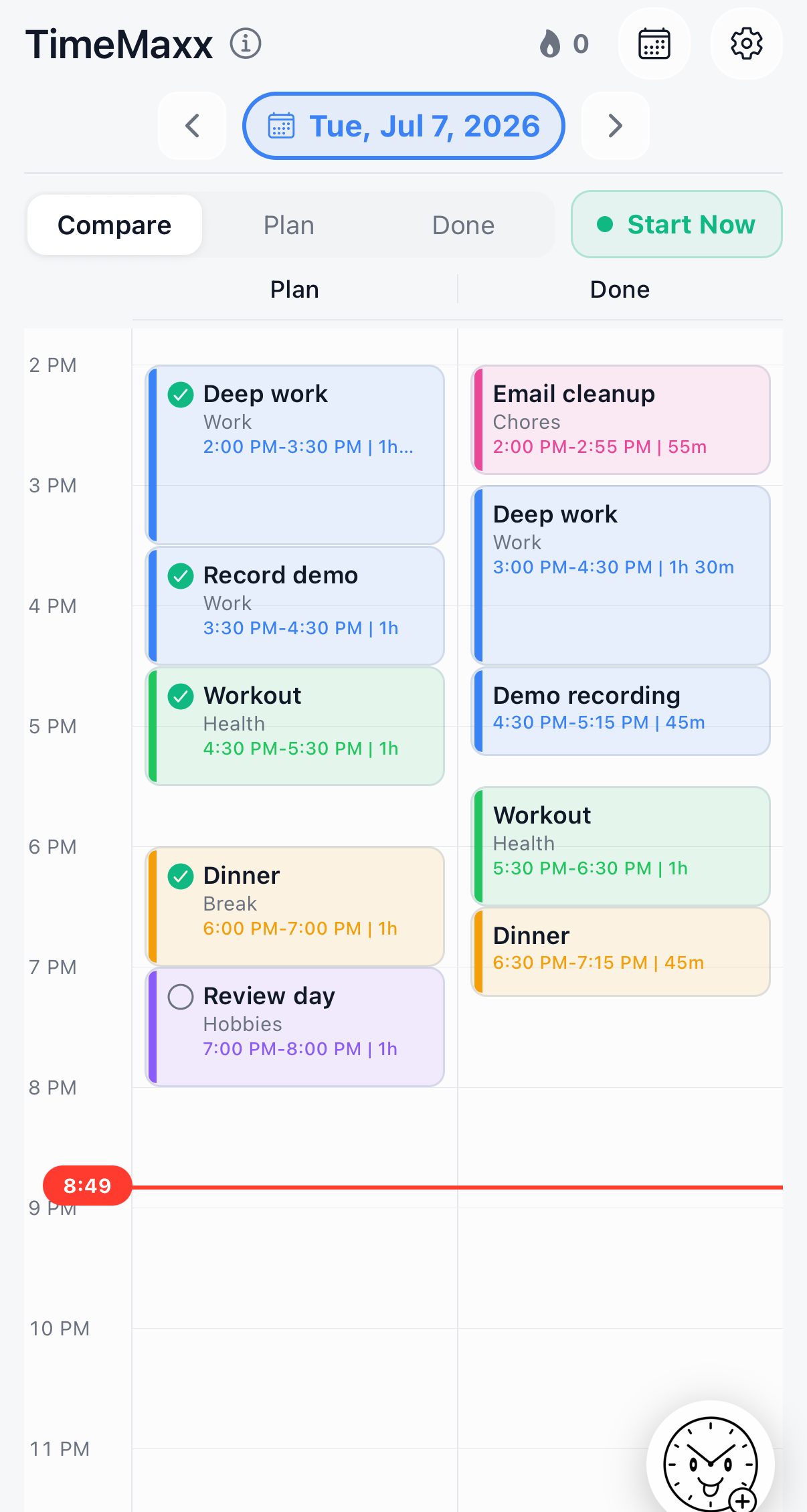
TimeMaxx timeline showing Planned and Done lanes, Start Now, sample blocks, and the quick action clock button.

One daily loop, built around time.

Tasks are the brain dump, the timeline is the commitment, and Done blocks are the record of what actually happened.

01

Plan the day visually.

Create Planned blocks on a 15-minute timeline, schedule inbox tasks into open time, or apply a saved template for repeatable days.

02

Log reality as Done.

Start a Done block when work begins, copy a Planned block when the plan holds, or log what happened after the fact.

03

Review the gap.

Compare Planned and Done lanes, then use the execution score and month view to see follow-through over time.

A planner for people who time-block.

TimeMaxx does not replace your notes or calendar. It gives your day a private time ledger: what you meant to do, what happened, and where your hours moved.
  • ✓Task inbox for quick capture, with scheduling into the first open Planned slot.
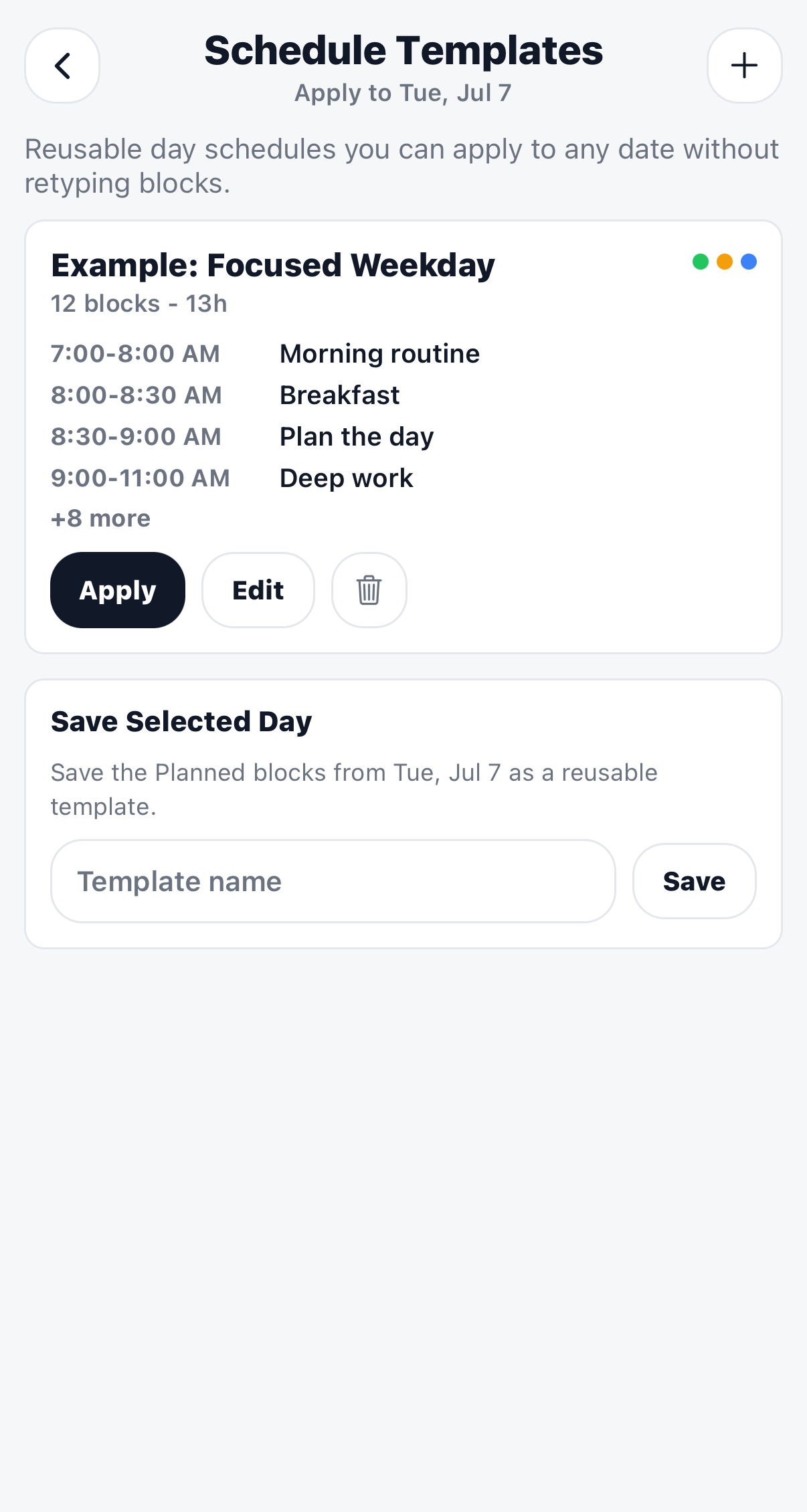
  • ✓Reusable schedule templates for days that follow the same structure.
  • ✓Category colors, filters, snap settings, and backup export/import controls.
TimeMaxx Schedule Templates screen showing an example focused weekday template and save selected day controls.
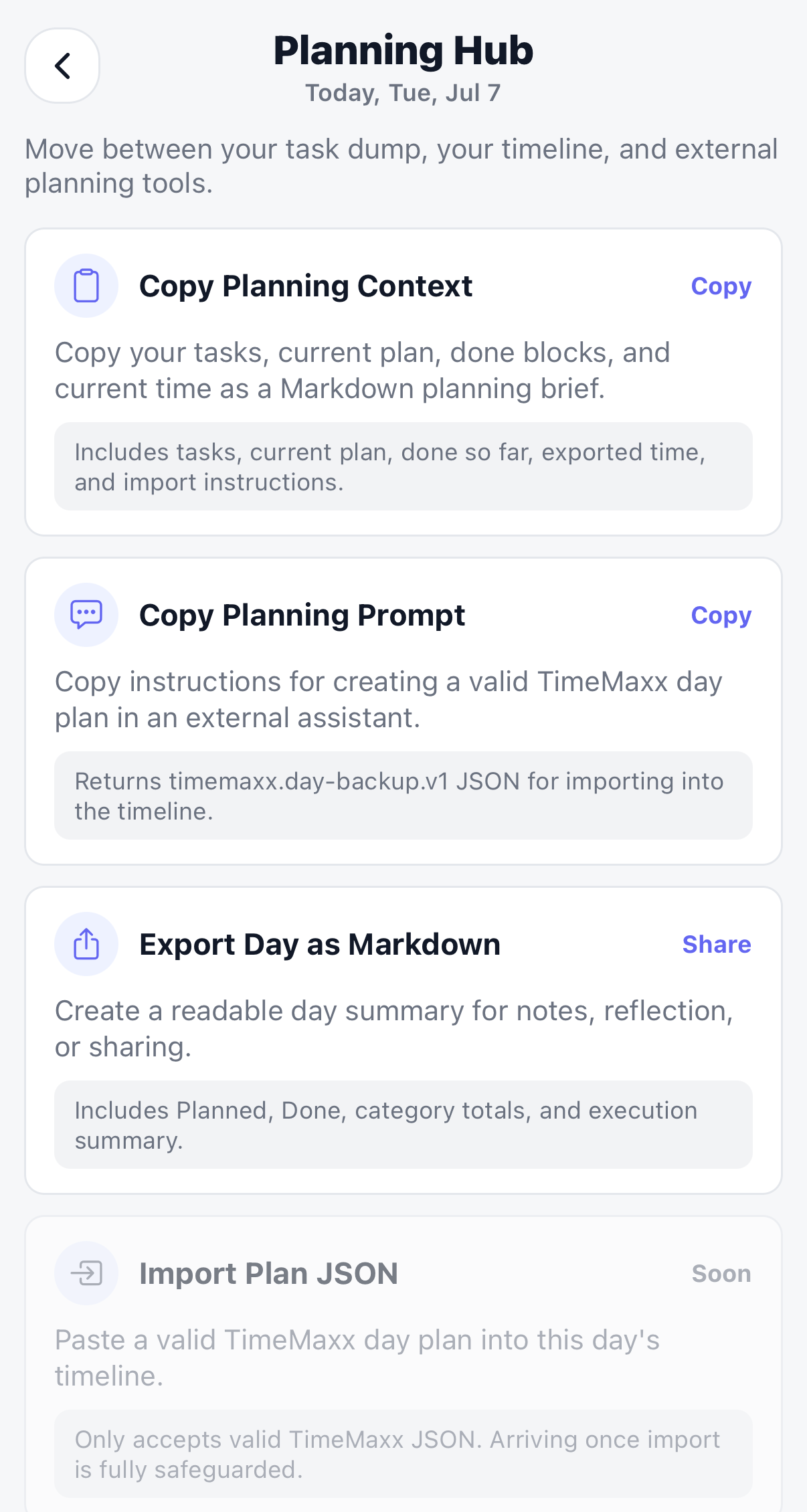
TimeMaxx Planning Hub screen showing Copy Planning Context, Copy Planning Prompt, Export Day as Markdown, and Import Plan JSON.

Export your day into the tools you already use.

Planning Hub moves state between Tasks, the timeline, and outside tools without adding accounts, sync, or a backend.

  • ✓Copy a complete planning brief with tasks, Planned time, Done time, and current context.
  • ✓Export a Markdown daily log for notes, reflection, or sharing.
  • ✓Use portable TimeMaxx JSON for future import flows once safeguards are complete.

Follow-through becomes visible.

Execution Score summarizes how your productive Done time compared with your plan. The month view turns that daily signal into a pattern you can actually watch change.

Execution Score
Score = Productive Done - Extra Break Productive Plan x 100

Extra Break is Done Break beyond Planned Break. None, Other, and Break are excluded from productive time.
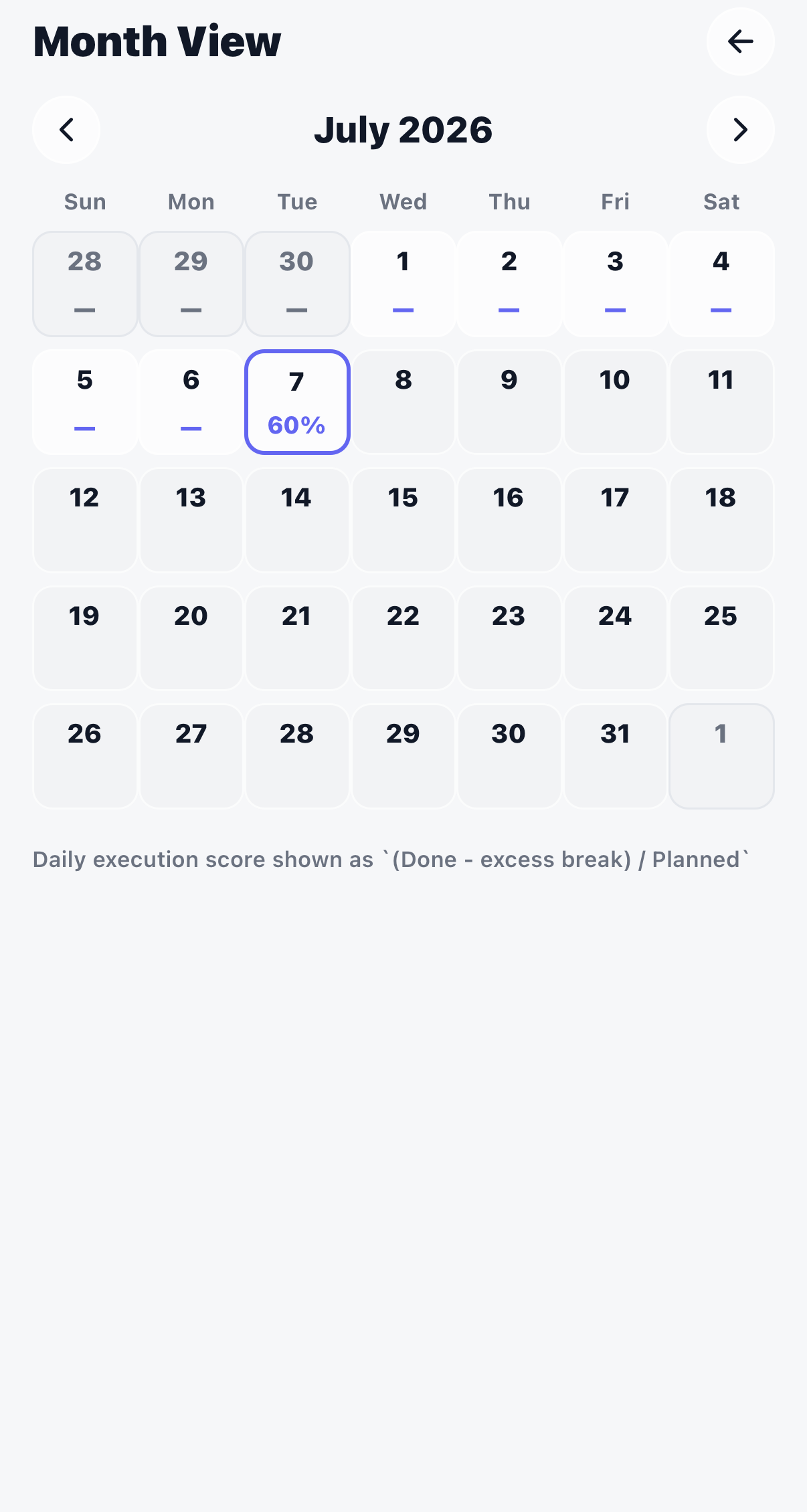
TimeMaxx Month View screen showing July 2026 and a selected day with a 60 percent execution score.

Your day stays on your iPhone.

TimeMaxx is intentionally local-first. Core timeline and task data lives on-device in SQLite, with no account system and no server required.

✓No account. Open the app and start planning. There is nothing to sign up for.
✓No cloud dependency. Your schedule stays on your device unless you export it.
✓Offline by default. Planning, logging, and reviewing your day do not need internet.
✓Portable data. Export backups, Markdown logs, and planning context when you want them.

Make your time visible.

Plan it, log it, compare it, and keep the record private.

 Get TimeMaxx for iPhone